
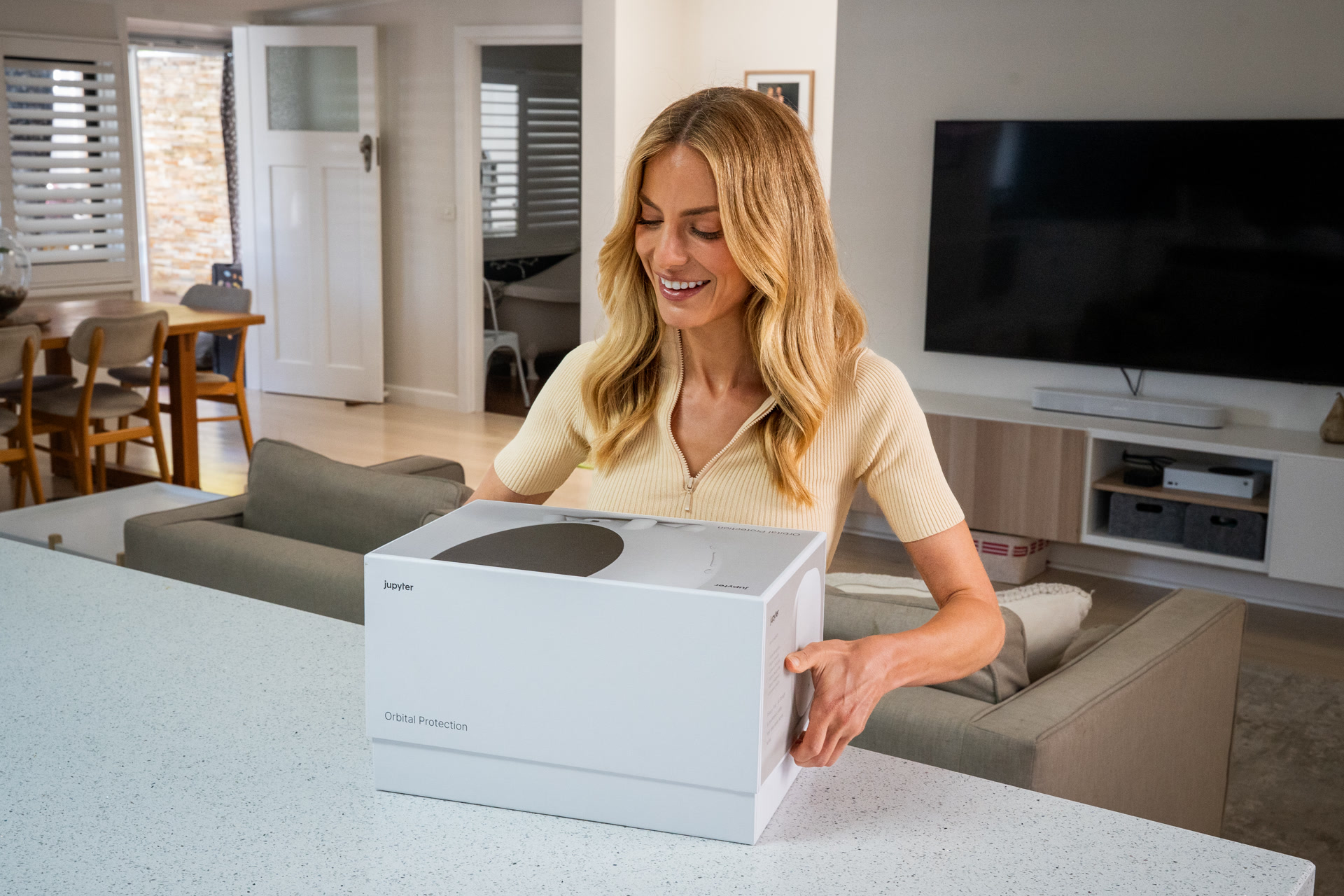
Same cameras.
New intelligence.
jupyter.com.au
jupyter.com.au
For The Installer
Founder & Editor
Temi Akinloye
Head of Revenue
Matt Gaskell
Design
jupyter, Melbourne
Contents
A preface · 05
The opportunity · 06
The system · 07
jupyter Hub · 09
Indoor Halo · 11
Outdoor Halo · 13
The Accessories · 14
How they work together · 15
The Six Engines · 17
MotionIQ · 24
Hey jupyter Pro · 25
SecureProtect · 26
On the Watch · 27
Google Drive Backup · 28
Helios · 29
The comparison · 30
Our promise · 31
Only jupyter · 32
We wanted the cameras people already owned to understand what they were looking at and protect people and property.
Temi Akinloye · Founder, jupyter
From The Founder
They want one that recognises, responds, and deters. In the moment. On the cameras already there.
jupyter is the first system that gives existing network cameras intelligent vision, so they sense and deter before something happens, instead of sending a notification once it already has.
Three devices, working in orchestra. The Hub runs six AI engines on the device itself, with nothing leaving the house. The Indoor and Outdoor Halo turn what those engines see into a response an intruder cannot ignore.
What follows is the whole system, in detail. I hope it earns a place in the work you do.

Temi Akinloye
Founder, jupyter
A New Category
Hardware prices fall three to five per cent every year. DIY kits take the entry market. The margin on a conventional install shrinks each season.
jupyter is what protects the margin. A tier above. With the margin to match.
The global smart home security market.
Grand View Research
Of burglars walk away when an alarm is active.
UNC Charlotte Burglary Study
Households worldwide that had a parcel stolen last year.
Vivint Global Porch Piracy Survey
What You Install
Three core devices, working as one. Five thousand camera models supported on day one, including the ones already on every wall you have installed for.
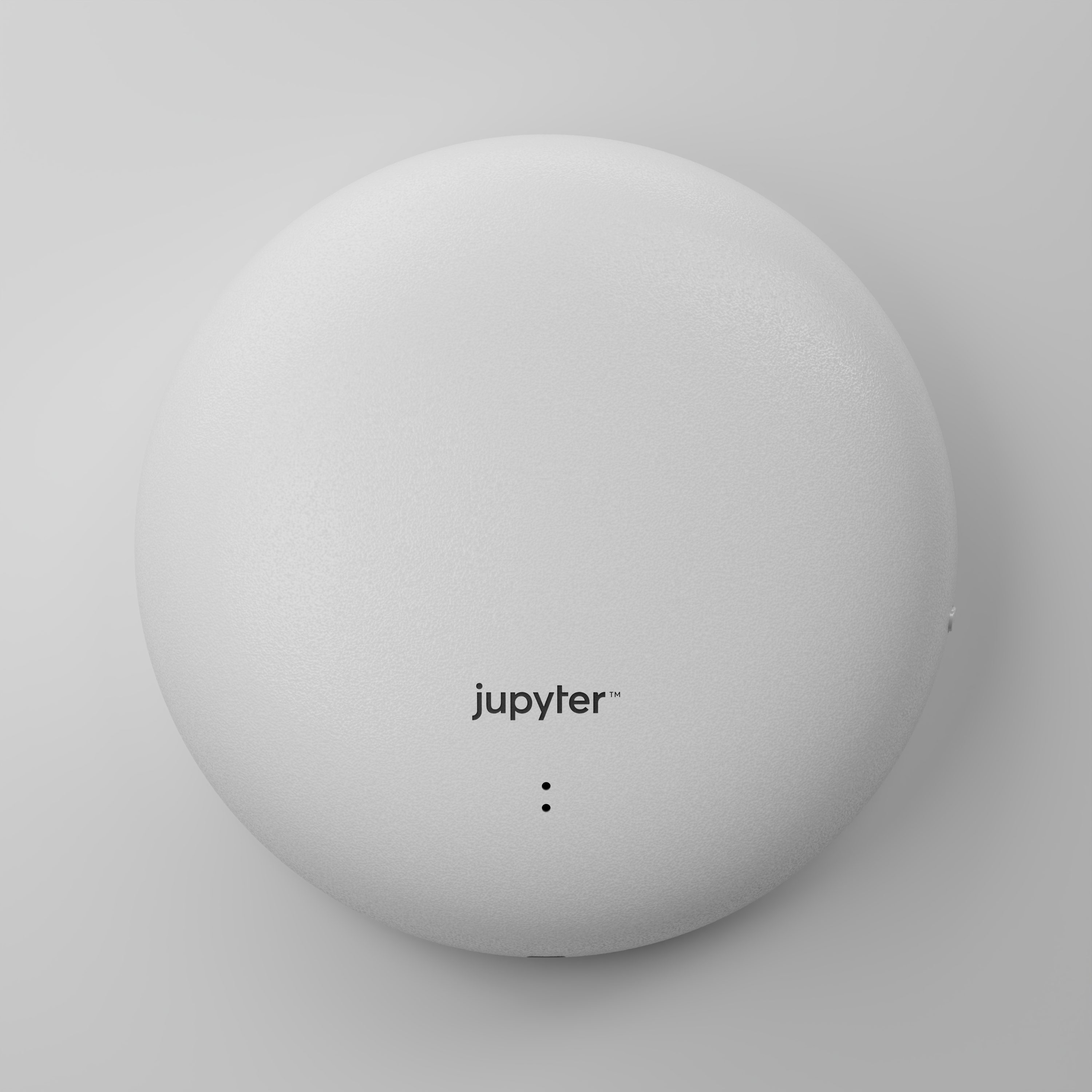
Three core devices, plus accessories
jupyter Hub. Indoor Halo. Outdoor Halo. Keyfob, Entry Door Sensor, and jupyter Cameras for the perimeter.
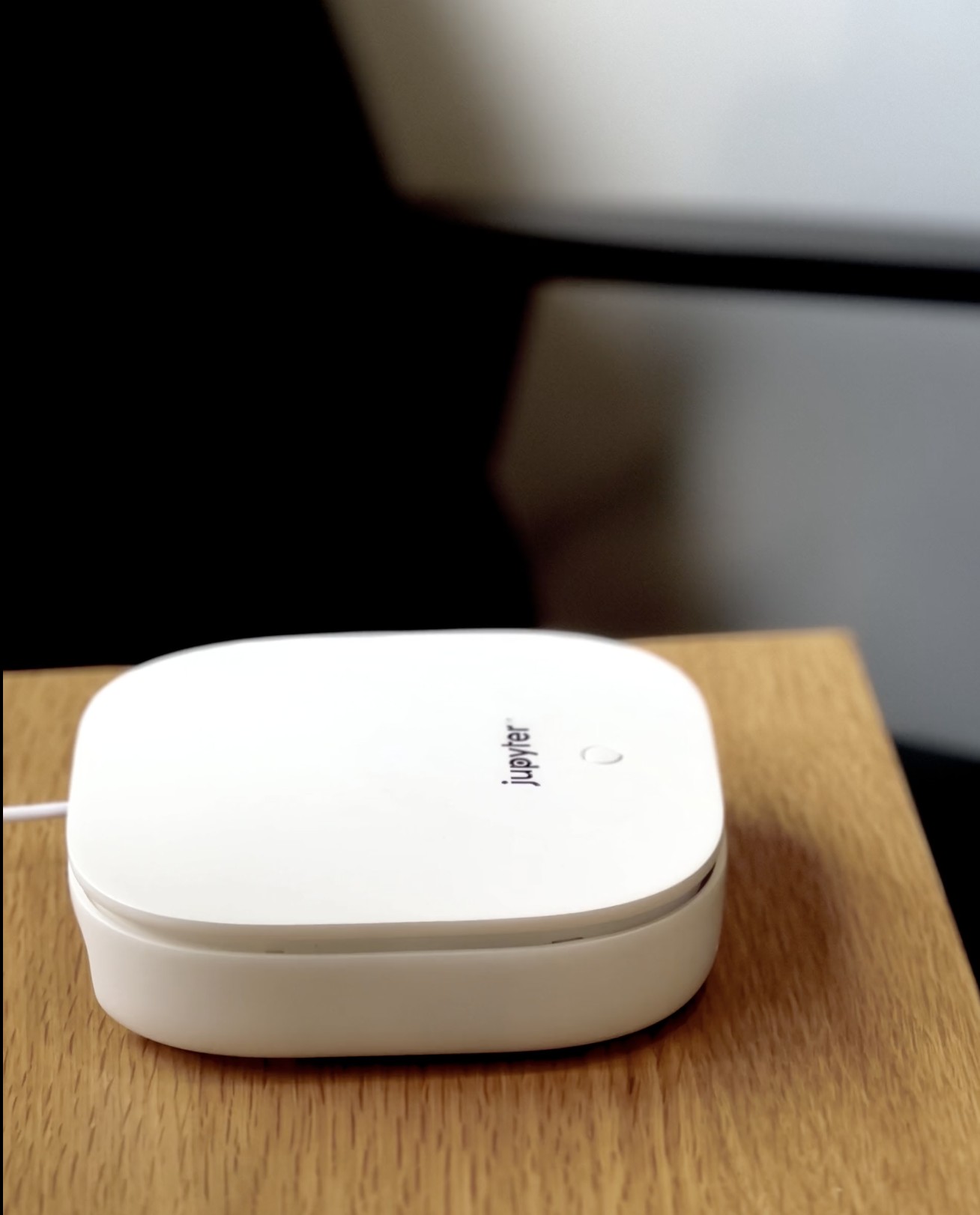
The Hub
The single device that turns the cameras the customer already owns into something that understands what it is seeing.
Most security cameras record. They notify after the fact. After the package is gone. After the window breaks. After the stranger leaves. The Hub is what changes that.
Six AI engines, running on the Hub itself. They recognise familiar faces, read the patterns of who comes and goes, and respond when something needs attention. Nothing leaves the house.
Compute
8-core processor. Dedicated NPU. LPDDR4x memory.
Design
Passively cooled. Acoustically silent. Mounts, sits, hides.
Connectivity
Wi-Fi 6E. Gigabit Ethernet. Bluetooth.
Power
USB-C. Always-on.
Camera models supported
Hikvision. Dahua. Axis. Hanwha. Bosch. Reolink. HiLook. TP-Link. Lorex. 200+ brands. Any ONVIF.
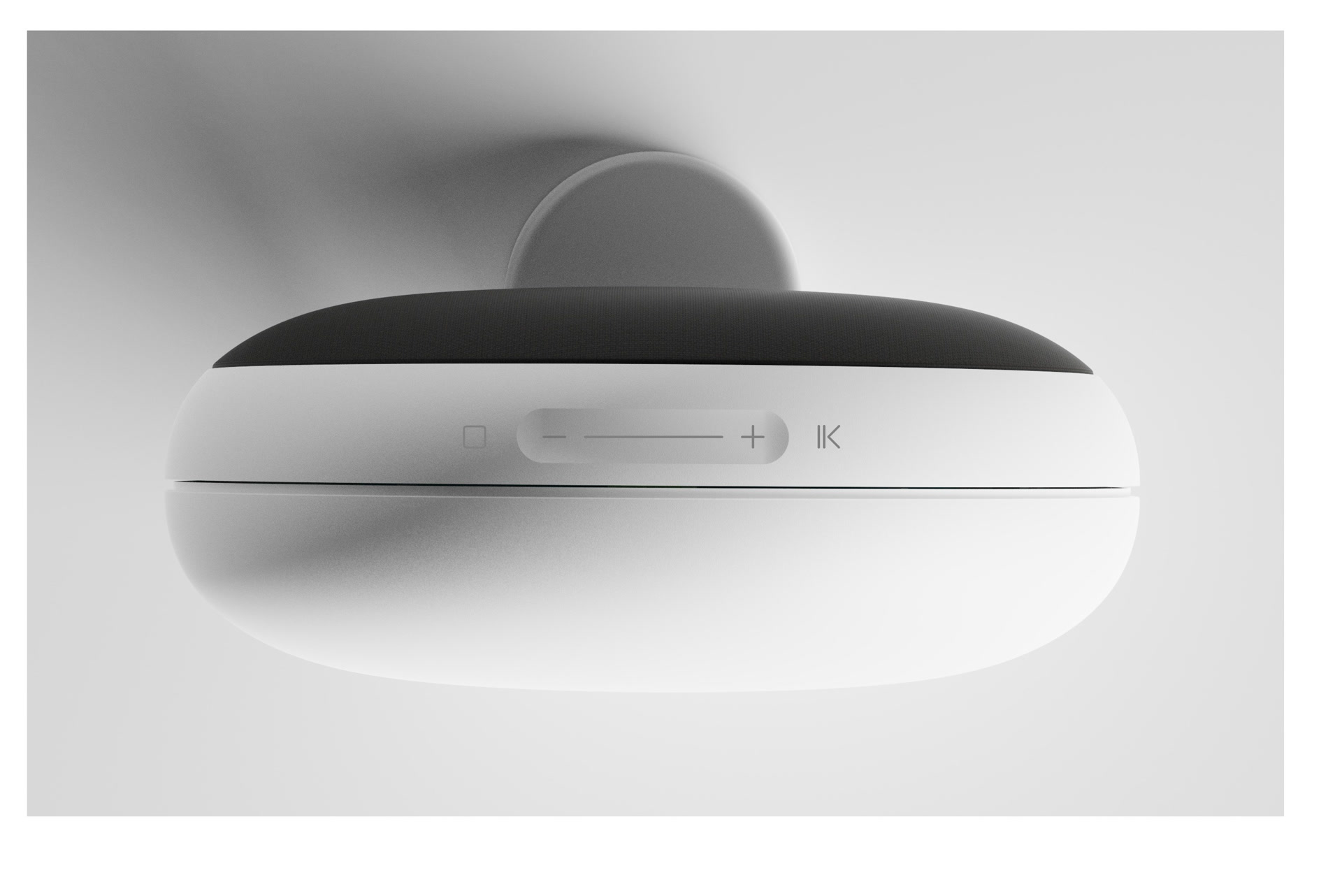
Indoor Halo
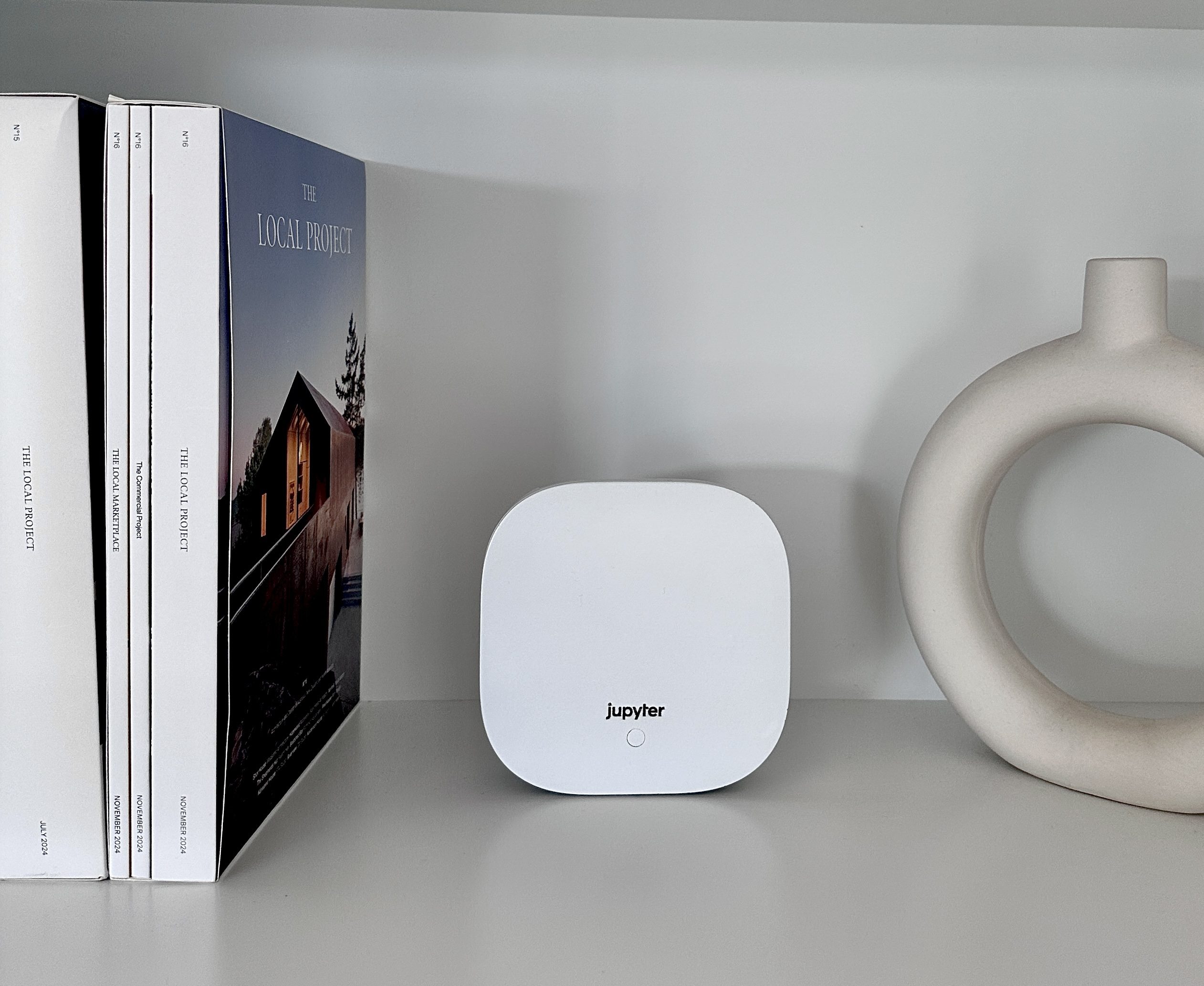
Sits on the shelf. Designed to disappear into the room.
The Indoor Halo holds the voice the customer speaks to, the microphones that hear glass break and doors force when the camera cannot see, the speakers that simulate the sounds of an occupied home, and the Bluetooth bridge that recognises the Keyfob as the family walks through the door.
Home mode, it is a calm presence. Away mode, it simulates the sounds of people at home. Believable enough to deter burglars counting on meeting an empty house, suddenly startled, never to return.
Audio
360° full-range speakers. Siren.
Listening
Microphone array. Status LED.
Connectivity
WiFi. Bluetooth bridge for Keyfob and sensors.
Power
USB-C. Wireless install.
For The Installer
The first home security device the customer is happy to leave on display. Multiple Halos pair to one Hub. One per main living space is the typical residential install.
Outdoor Halo
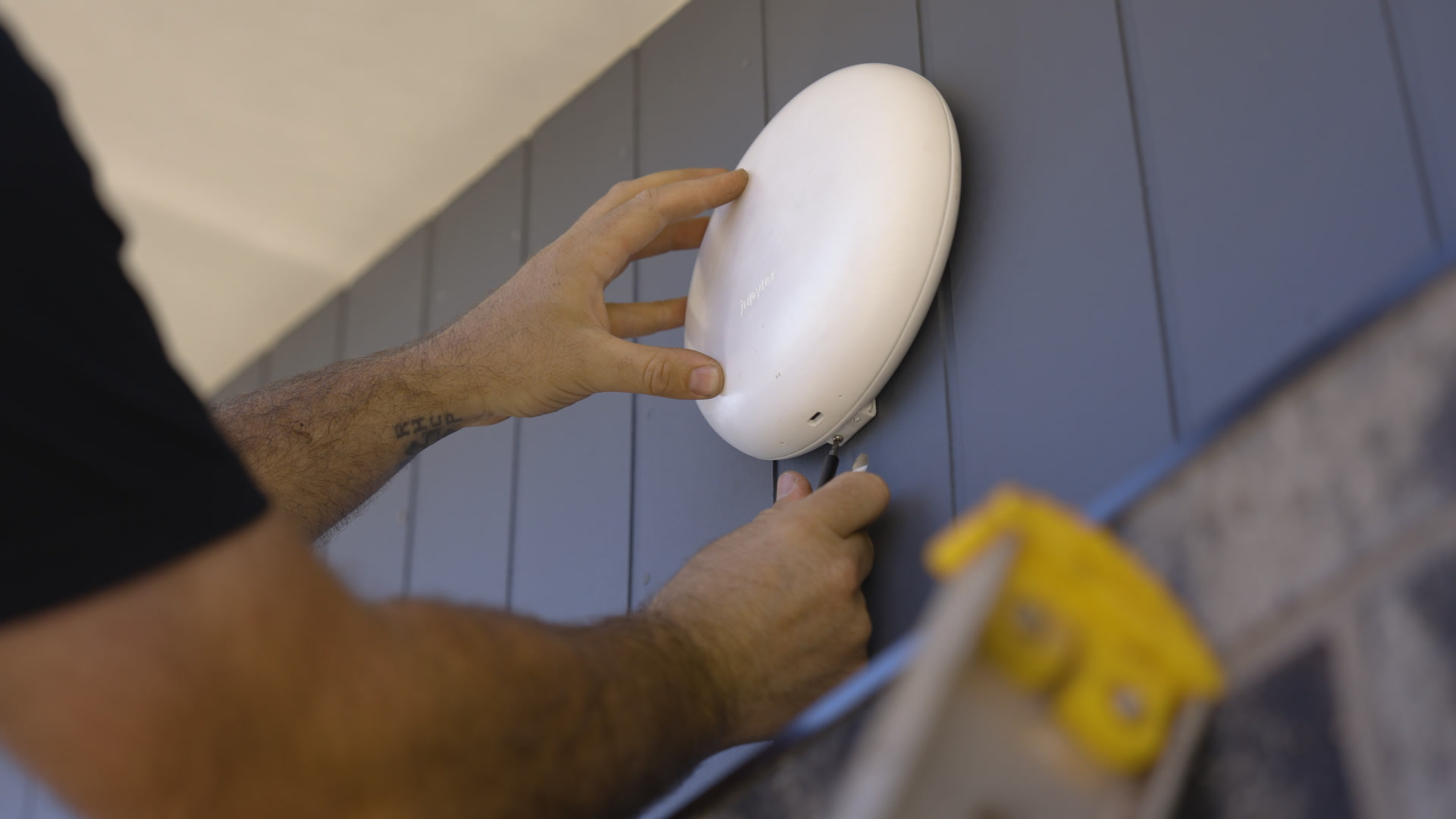
The siren and strobe that activate only when the Hub decides the situation warrants it.
A package arrives at 2pm. The customer is at work. A stranger walks up. The camera, on its own, will record everything and the package will still be gone. With the Outdoor Halo paired to the Hub, the moment intent is registered, the siren sounds and the strobe fires. The attention is not worth it. The stranger leaves.
Weatherproof. Mounted. Visible. The deterrent that responds in under a second.
Response
Piercing siren. High-intensity strobe. Under one second to activate.
Mount
Wall mount included. Clean backplate.
Built For Outdoors
Sealed against weather. Wi-Fi 6.
Power
USB-C. Battery backup.
For The Installer
The first response device a customer recommends by name. Multiple Halos pair to one Hub. One at the front facade, one at the rear, is the typical residential install.
The Accessories
Keyfob
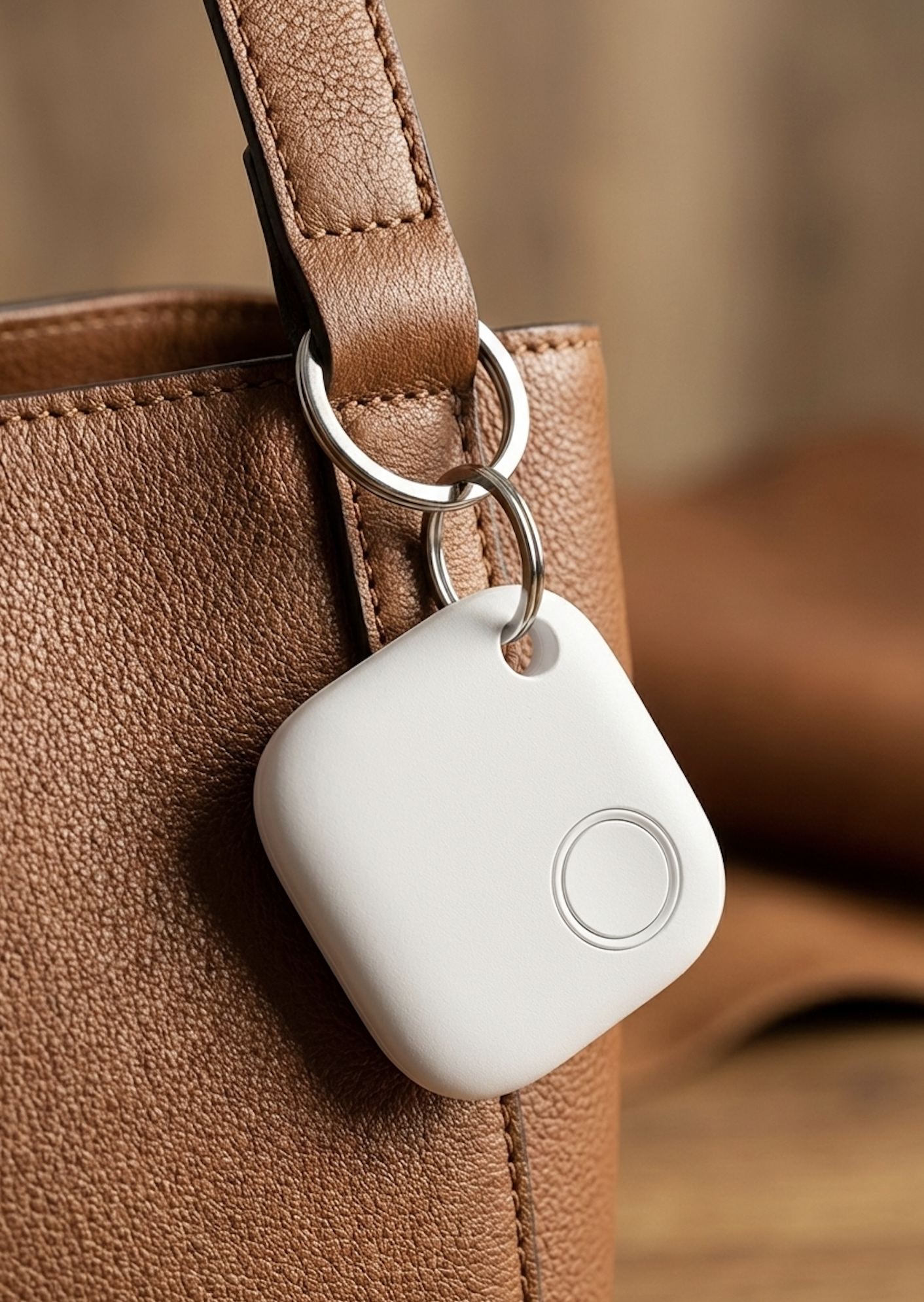
A single button. Pressed on arrival, the alarm disarms as the customer walks through the door. Designed for the keyring.
Entry Door Sensor
A small magnet on the door. A small sensor on the frame. The system feels the opening before the camera sees it.
jupyter Camera
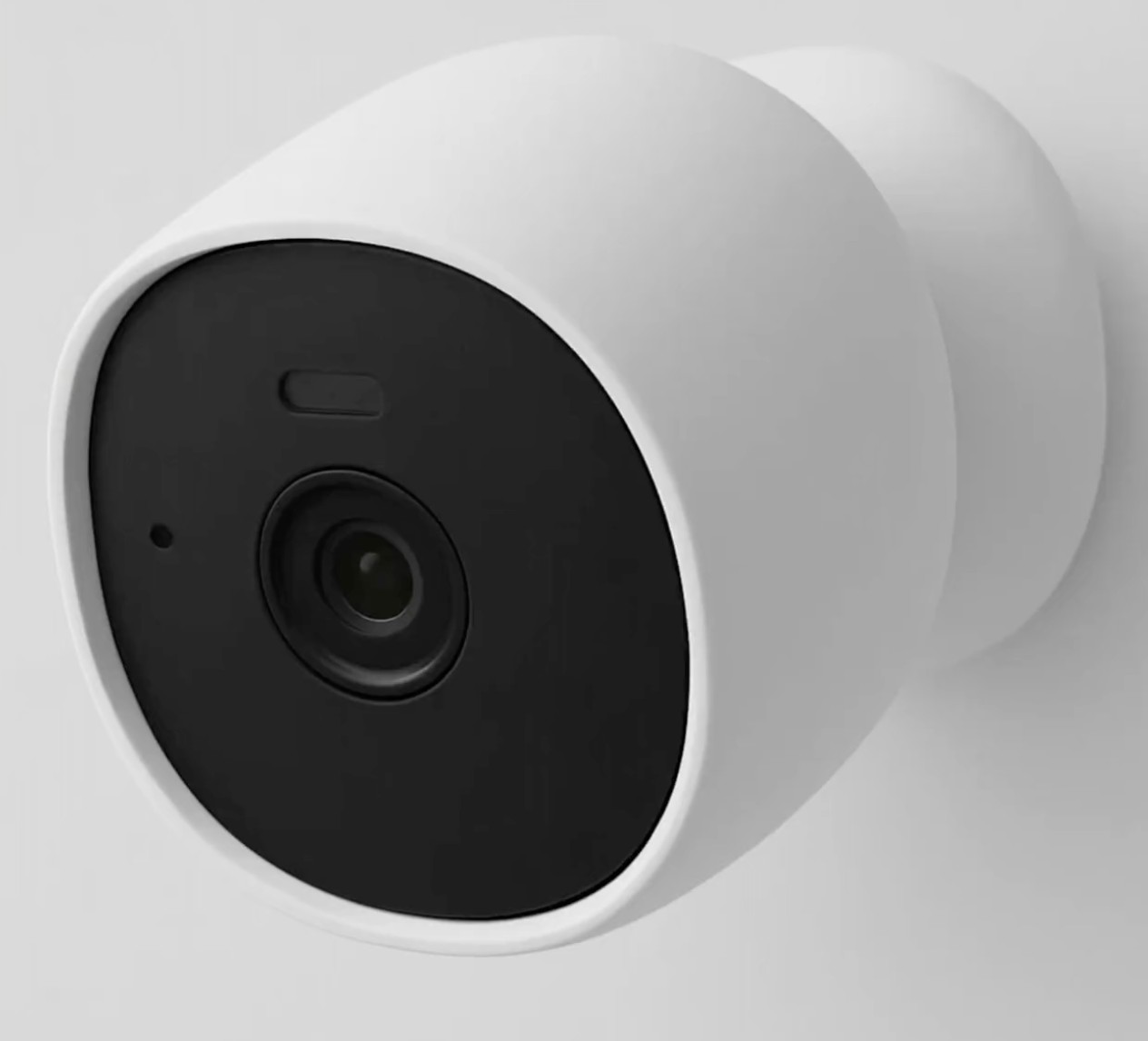
Five megapixels. Dual-light night vision. IP67 weatherproof. Plug-powered. Works with the Hub out of the box.
How They Work Together
Everything else is software. Running locally. Improving over time.
Three pieces, designed to behave as one. The customer does not see the wiring of the system. They see a home that responds.
The Workflow
01 · Hub
Existing or new. The Hub gives them intelligent sight.
02 · Engines
Faces, parcels, sounds, loitering, vehicles, presence.
03 · Halos
Outdoor Halos sound the deterrent. Indoor Halos play presence. One Hub orchestrates as many Halos as the property needs.
04 · SecureProtect
jupyter watches the clips. The customer reads a sentence. A personal security concierge, on every phone.
What Sits Inside
Cameras have always been able to see. Until now, none of them could understand.
Every engine inside the Hub is something the industry has not shipped before. Each one was built because the answer that existed was not the answer the homeowner needed.
Engine 01 of 06
Recognises every face in the household, equally. Built from the ground up to perform in the low-light conditions where most cameras give up. Works on the 720p, 480p, fifteen-year-old cameras already on the wall.
The family walks in. The alarm stands down. Automatically.
For The Installer
A premium upgrade for every existing customer book. The cameras stay. The intelligence is what the customer now pays for.
Engine 02 of 06 · A World First
Households worldwide that had a parcel stolen last year. Source · Vivint Global Porch Piracy Survey.
From the moment the parcel lands to the moment it is in their hands. Accounted for. The Hub sees the parcel arrive. Watches it. The moment intent is registered, the Outdoor Halo sounds. The parcel stays where the courier left it.
Engine 03 of 06
LoiterAI reads the rhythm of who passes the home, and notices when presence becomes a pattern. Someone circles the block. Returns to the same window. Stands too long at the door.
Two minutes in, it already knew. By the time the threat decides to act, the home has already responded.
For The Installer
The single biggest reason customers leave their alarm armed.
Engine 04 of 06
Glass breaking at 3am. A door being forced. A smoke alarm. The sound of breaking glass triggers a response before the customer opens their eyes.
The Indoor Halo's microphones listen continuously. The Hub runs SoundAI, identifying the specific acoustic signature and triggering the system the moment one is heard.
Standard systems rely only on vision. jupyter hears what cameras miss.
For The Installer
The customer with a multi-storey home. The customer with a back room out of camera view.
Engine 05 of 06
Footsteps in the hallway. Conversations drifting between rooms. The dog barking when someone passes the gate. While the customer is away, the home keeps living.
Burglars listen before they look. Calibrated to the time of day, played through the Indoor Halo, varying so the patterns stay believable. Realistic sounds of people, dogs, and appliances, projected into the rooms a stranger might pass.
To anyone outside, the customer never left.
For The Installer
The holiday-home customer. The family that travels for work. A capability nowhere else in the consumer category.
Engine 06 of 06 · Beta
Recognises the vehicle as it arrives. Opens the garage. Closes it behind. Flags unfamiliar vehicles that linger near the house. Two-step verification defeats fake plates.
No remote. No app. The customer pulls in. It closes behind them. They did not touch a thing.
Integrates with supported WiFi garage controllers today.
For The Installer
An automation conversation with every customer who already owns a smart garage.
Motion, Reimagined
MotionIQ is jupyter's intelligent motion system. It decides which camera motion is worth alerting on, and which is not. The leaf in the wind, the cat across the path, the branch in the rain: all dismissed, never delivered, never stored.
Three profiles cover every camera position on a property. One tap to set.
Guardian
The driveway. The front porch. The side gate. Catches everything that moves. Best for entry points and high-stakes corners.
Aware · default
The backyard. The side path. The deck. Birds and breeze stay quiet. People, cars, and parcels rise. Most homeowners pick this and never look back.
Quiet
The back fence. The garden. The far side of the house. Only the things that truly matter wake the home. If it pings, pay attention.
For The Installer
Fewer false alerts. Less storage waste. The customer who keeps notifications on.
A Pro Feature · Optional Subscription
A personal security concierge.
Plain-English search across days of footage. Voice queries. Voice summaries. The end of forty-seven motion clips waiting to be reviewed.
Voice AI grows quarter by quarter. New skills. New smart-home integrations. New ways to ask the home what is going on. The value compounds with every release.
For The Installer
An optional subscription customers choose to add. The reason customer lifetime value stays attached to the install. A clear convenience for small-business customers handling heavy daily video. Cuts to the chase.
SecureProtect
The app that knows the home.
Traditional apps give data. SecureProtect gives understanding. A daily summary, written in plain English, of the events that mattered, across every camera.
Sample summary
Your home had a quiet day. One parcel was delivered at 2:34pm by Amazon. Kevin arrived at 4:12pm and one unknown visitor was detected at 6:48pm.
iPhone · Android · Free with every install
A World First
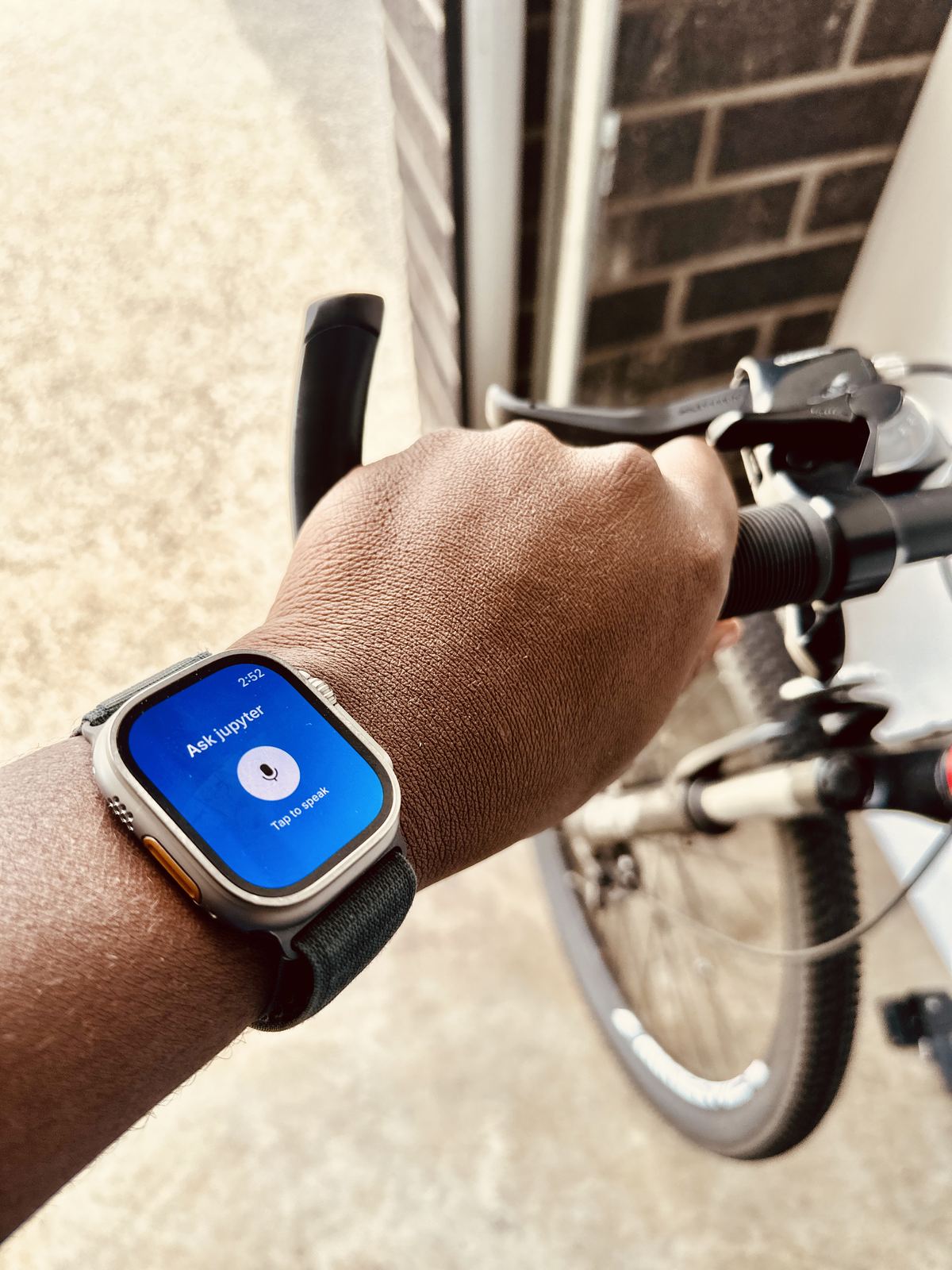
Front door. Lara arrived. 18:42.
One tap to disarm when the system asks. One tap to sound the Outdoor Halo when something is not right. The keypad on the wall, replaced by the wrist.
Apple Watch · Wear OS · Shipping with the Launch Edition
Built On What Customers Asked For
Customers asked for two things. Longer footage history. A safe place to keep what mattered, in case the Hub was ever lost.
SecureProtect connects to a customer's own Google Drive in two taps. Extended footage history. Evidence backup. In storage the customer already pays for, on an account already in their name.
No new subscription. Not offered by major consumer security brands today.
For The Installer
The answer to the question "where does my footage live?" without ever opening a billing conversation.
Meet Helios
Every site, every camera, every face, every event. One screen. Any browser.
Helios is the operations layer of jupyter, free with every Hub you install. Built for installers managing business customers across multiple sites.
Plain-English search. Voice queries. Blacklisted-face alarm automation. One-click monthly reports.
For The Installer
Free for the installer. The platform for a managed service offering of your own. We help design the offering as part of our Premier Installer Support commitment.
The Premium Tier
A category comparison against the only four vendors operating in the same tier today. Shaded rows are where jupyter is the only system with the capability.
| jupyter | UniFi UNVR Pro | Synology DVA3221 | Hikvision DeepinMind | Dahua WizSense | |
|---|---|---|---|---|---|
| Camera agnostic AI | 5,000+ models | UniFi only | ONVIF, paid licences | Hik cams full | Dahua cams full |
| Storage | SSD (solid-state) | HDD | HDD bays | HDD | HDD |
| FaceAI on legacy cameras | Yes, on any camera | UniFi cams only | DVA, own cams | Hik cams | Dahua cams |
| ParcelAI active deterrence | World-first | Detect only | No | No | No |
| LoiterAI intent detection | Yes | Line crossing | Intrusion | Line crossing | IVS |
| SoundAI glass & door | Yes | No | No | No | No |
| OccupancyAI presence | World-first | No | No | No | No |
| Voice assistant | Hey jupyter Pro | No | No | No | No |
| Indoor & Outdoor deterrence | Halo devices included | Camera LED only | No | Some cams | Some cams |
| Keyfob, entry sensors | Included | No | No | No | No |
| Customer-owned cloud | Google Drive integration | Cloud relay | Backup paths | Hik-Connect | Local only |
| Plain-English app summary | SecureProtect | Event timeline | Surveillance Station | Hik-Connect | DMSS |
| Monthly fees | Zero | Zero | Per-camera licences | Zero | Zero |
| Home and business ready | 8ch full AI, 24ch FaceAI | 20 cameras | 32 channels | 16 channels | 32 channels |
| NDAA compliant | Yes | Yes | Yes | No | No |
Designed from day one for both residential and commercial installs. Eight channels at full AI engine load. Twenty-four channels in FaceAI-only configuration. Bring your own cameras, or use jupyter cameras.
Our Promise
Intelligence
FaceAI knows the family. ParcelAI watches the doorstep. LoiterAI reads the rhythm of who passes. SoundAI hears what the camera cannot. VehicleAI handles the garage. OccupancyAI makes an empty home sound lived in. All on the Hub, on every camera on the wall.
Privacy
Every face, every event, every recording stays inside the home, processed on the Hub itself. No cloud upload. No shared dataset. No third party with access.
No Monthly Fees
No fees for storage. No fees for any of the six AI engines. Typical cloud-based systems charge USD 10 to 20 per month for the same. jupyter charges nothing.
Bring Your Own Storage · Beta
For customers who want offsite backup of evidence and footage, jupyter integrates with Google Drive accounts they already own. Their storage. Their account. Their rules.
Six Reasons
Forever OTA
New engines, delivered over the air. The Hub in five years is smarter than the one you install today.
Privacy By Design
When AI vendors compete for training data, jupyter takes none. Footage stays on the Hub.
A System That Learns
The cleaner. The neighbour. The grandparent who visits Sundays. jupyter notices, suggests, names.
Intelligent Alerts
jupyter alerts on what matters. People. Parcels. Vehicles. Sounds. Not branches. Not the cat.
Local Support
Installers get a direct line to the team that built it.
AI Included
No paywall for advanced AI. No paywall for cloud storage. Six engines, included. Major brands charge USD 10 to 20 monthly for the same.
The Next Step
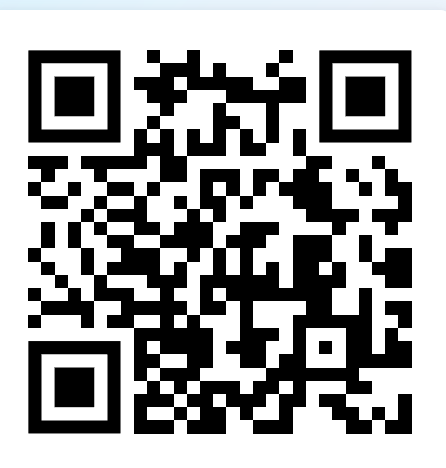
Book an experience session with the founder.
Your office, in person, or on a call. Forty-five minutes. The full system in front of you. A conversation about what a partnership looks like.
Scan to book
jupyter
A Document
For The Installer